How to use single regression analysis
 Toru-Ya
Explanation of Single Regression Analysis
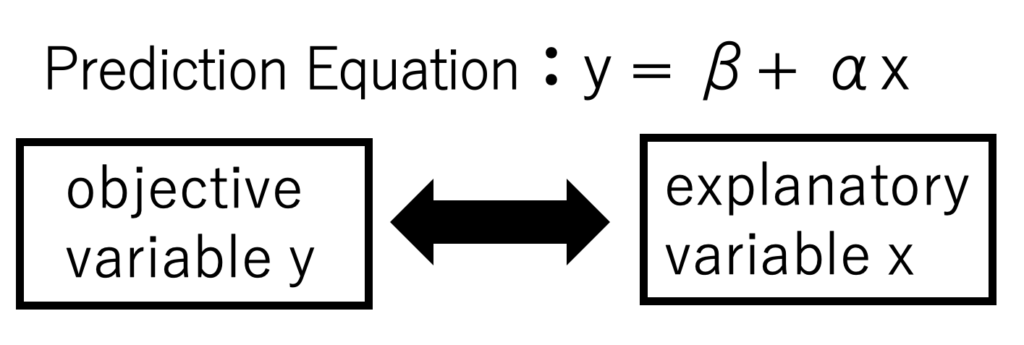
Single regression analysis creates a predictive model for one explanatory variable x and one objective variable y.
Gofard creates a linear prediction equation based on the least squares method, which can then be used to calculate predictions for both x and y.
It is the simplest and most common regression method and is used in a variety of situations, including quantitative analysis using measurement instruments.
Examples of Quantitative Analysis of Chemical Substances
The following is an example of quantitative analysis of formalin by single regression analysis (least squares method).
The data in the table includes data on the amount of formalin added to a solution to which a specified amount of formalin was added to quantify the amount of formalin in the sample water, and data on the color intensity of the solution evaluated spectrophotometrically.

Load the csv file as training data, select a column of formalin data for the explanatory variable x and a column of color intensity data for the objective variable y, and run the calculation.
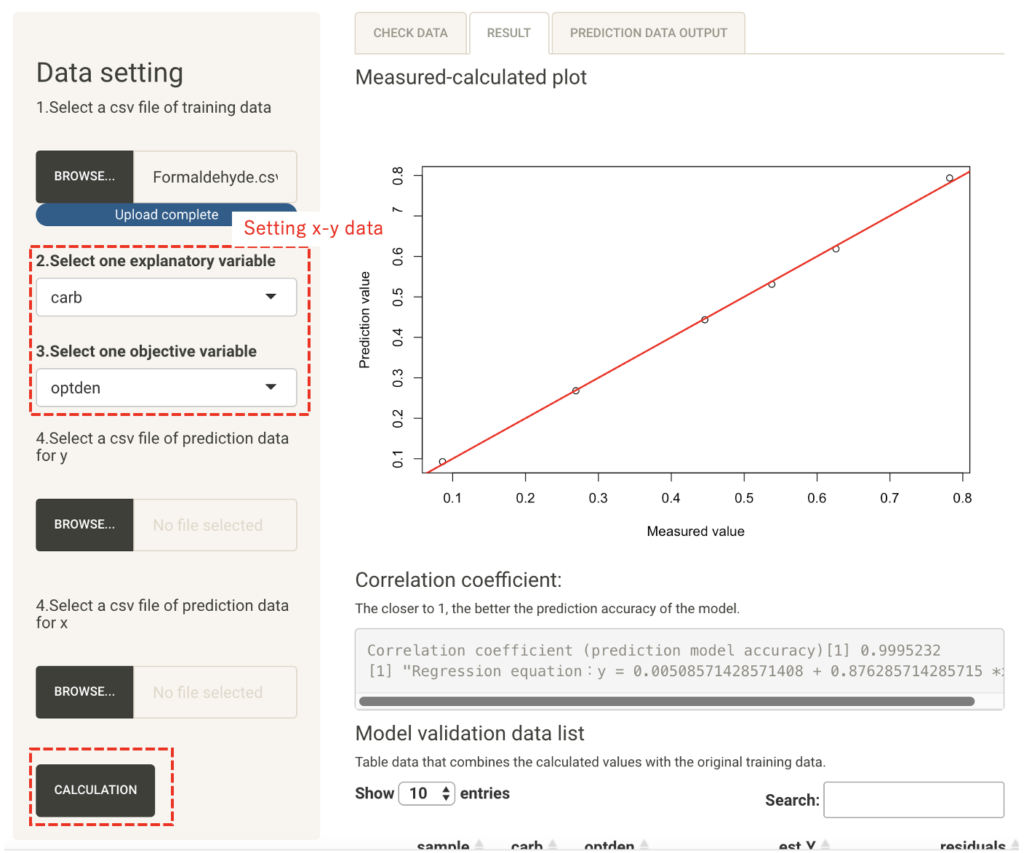
On the Prediction Model Results tab, you can check the prediction model equation, the accuracy of the model, the actual values in the list, the calculated values of the model, and their residuals. This equation is also called a calibration curve.
Furthermore, by preparing a prediction table containing the values of one of the variables, the predicted values of the explanatory variable x or the objective variable y can be calculated according to the prediction model you have created.
In this example, we want to know the formalin content of the sample solution, so we prepare tabular data containing evaluation data for the color intensity of a sample solution of unknown content, read it as x prediction data, and execute the calculation.
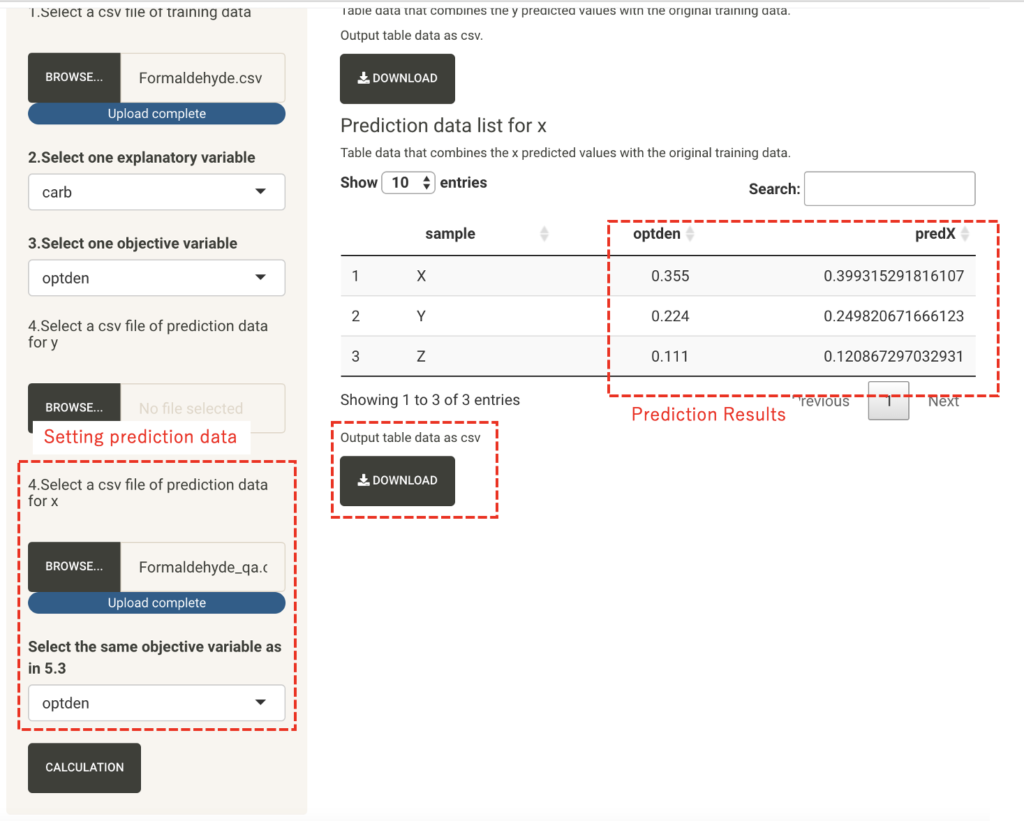
A data list containing the predicted result values is output as a x-prediction data list in the Prediction Data Output tab.
The result data list can be downloaded as a csv file from the bottom of the list.