Gofard is a GUI application developed in R. It is recommended to use Gofard in a local environment on your PC.
Please install R and R studio on your PC beforehand from their respective official websites.
Click here to install R studio.
How to Activate Gofard
Gofard can be started from R studio by executing the following code. The following is a description of the procedure.
if(!require(shiny)){
  install.packages("shiny",dependencies = TRUE)
  library(shiny)
}
runGitHub("Gofard", "Toru-Ya", subdir= "latest_ver./")
Creation of Gofard Activation Code
You can create a file to write code by clicking on the "R script" from the plus icon in the upper left corner of Rstudio.

After opening a new script, you can start Gofard by copying and pasting the activation code above, dragging the entire code and clicking "Run" in the upper right corner. We recommend that you save this script file for future launches.
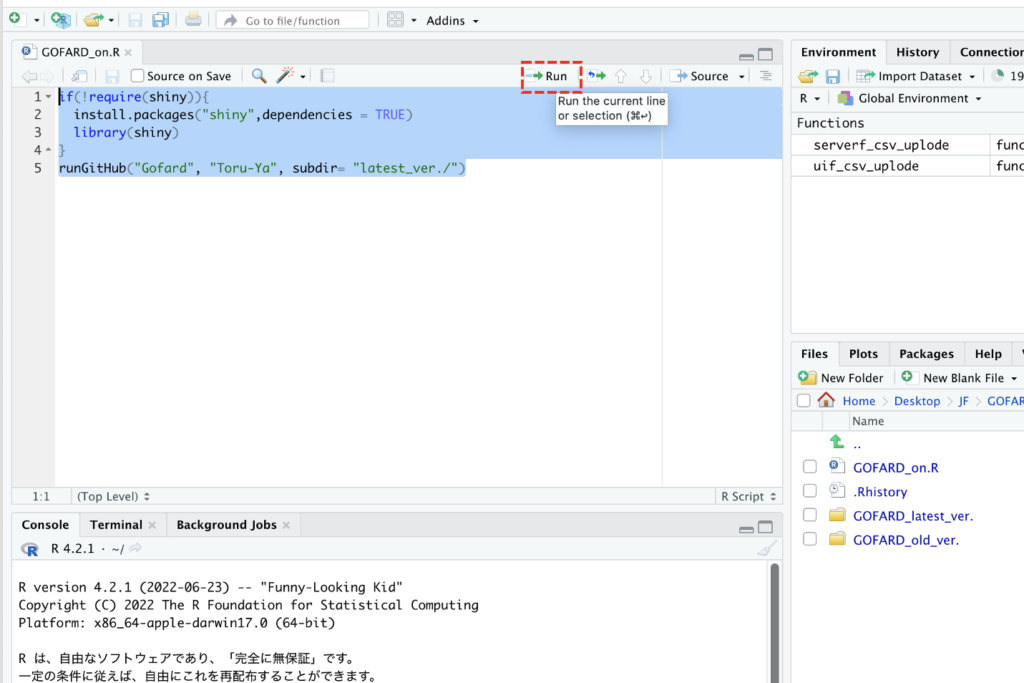
The code is designed to load and launch the latest version of Gofard from Github, where the source code is available.
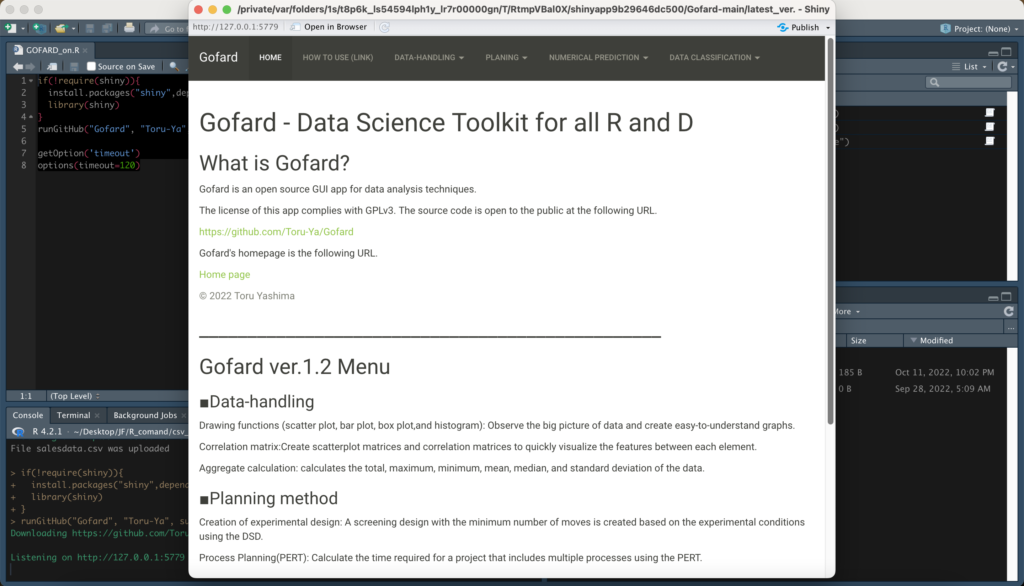
Are you able to activate it? You can navigate to each function from the tabs at the top. We recommend that you first read the "How to use" tab, which contains links to web pages that describe how to use each function and provide specific examples.We recommend that you read it first, as it is designed to be as intuitive as possible, so it is a good idea to familiarize yourself with it by actually having the data at hand and touching it.
If there are any problems, please contact us.